Self-custody, with a plan

Ready for the unpredictable.
Built for the inevitable.

A recovery path for you. An inheritance plan for the people you choose. All while keeping control.

Control center

Your wallets.
One control center.

Manage multiple smart wallets in one place. Send and receive crypto, manage your assets, and keep your recovery and inheritance plans up to date.
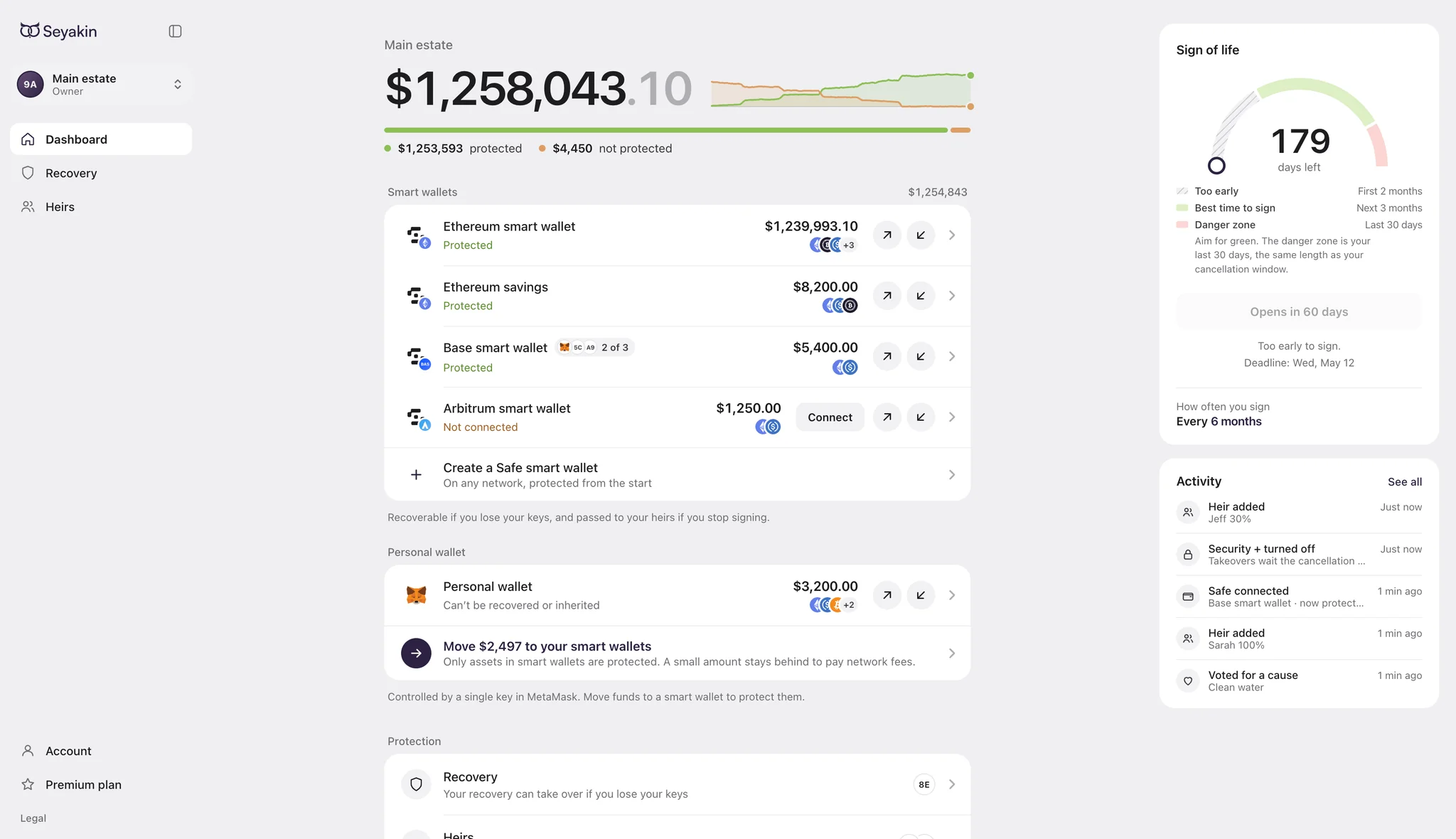
Dashboard showing smart wallets, protected balances and the sign-of-life countdown
Initial integration: Safe smart wallets on EVM networks
Safe
  • Ethereum
  • Polygon
  • Base
  • Arbitrum
  • OP Mainnet
  • Gnosis Chain
  • BNB Chain
  • Avalanche
  • 0G
  • ADI Network
  • Arc
  • Aurora
  • Berachain
  • BOT Chain Mainnet
  • Celo
  • Creditcoin
  • Fluent
  • Hemi
  • HyperEVM
  • Ink
  • Kaia
  • Katana
  • Linea
  • Mantle
  • MegaETH
  • Monad
  • Morph
  • opBNB
  • peaq
  • Pharos
  • Plasma
  • Robinhood Chain
  • Scroll
  • Sonic
  • Stable
  • Tempo
  • Unichain
  • World Chain
  • X Layer
  • XDC Network
  • zkSync Era
Wallet recovery

Set up a way to recover access.

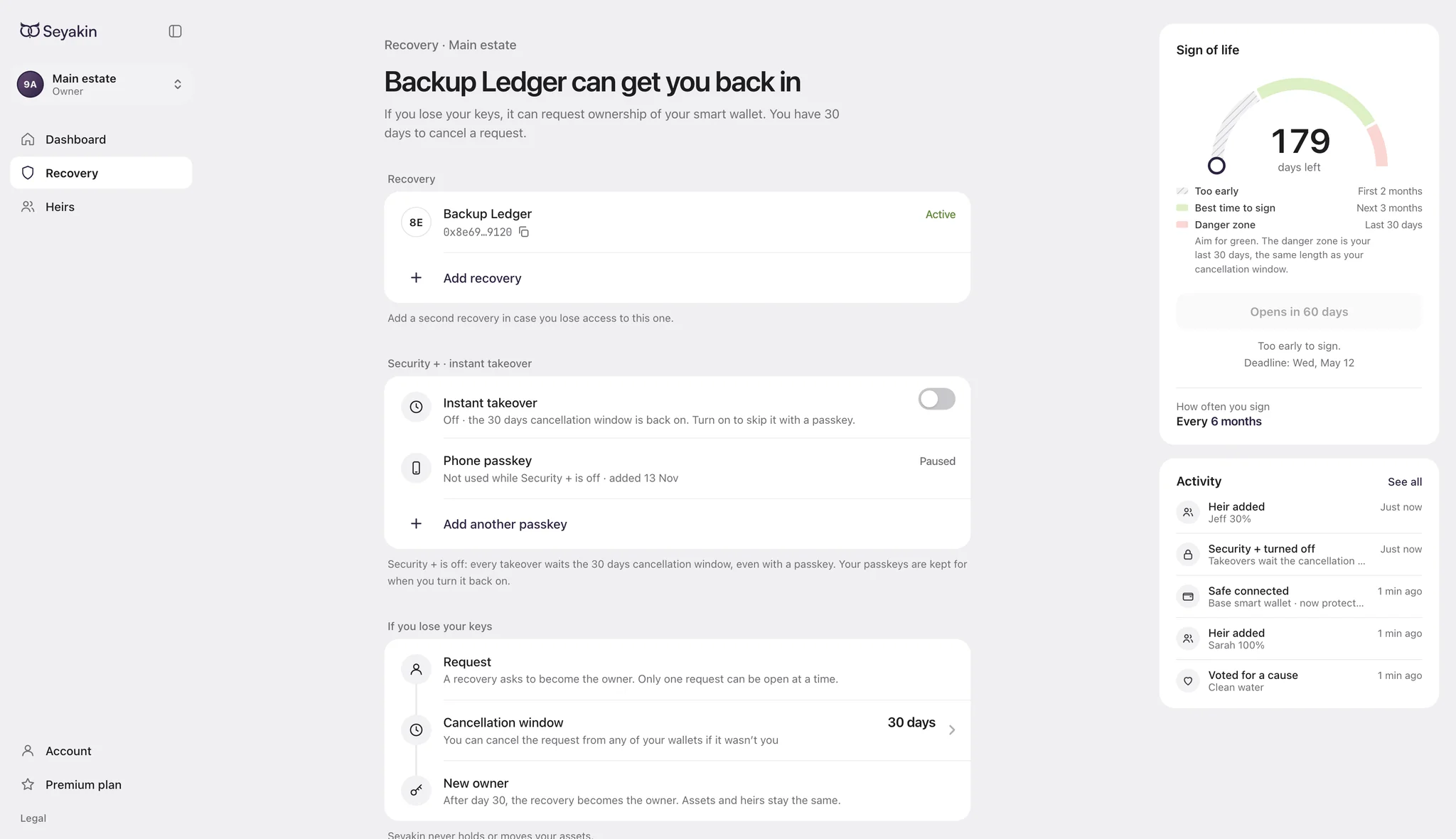
Choose your recovery accounts in advance. If you lose access to the wallet you use to sign, a designated account can request ownership of your smart wallet.

  • Add multiple recovery accounts
  • Set a cancellation period for recovery requests
  • Add an optional passkey check during recovery

Recovery accounts cannot move your funds before recovery is complete. Once an account becomes an owner, it can manage the smart wallet under its ownership permissions.

Recovery settings showing a backup wallet, passkey settings and the cancellation window
Wallet recovery preview
Crypto inheritance

Decide who receives your crypto.

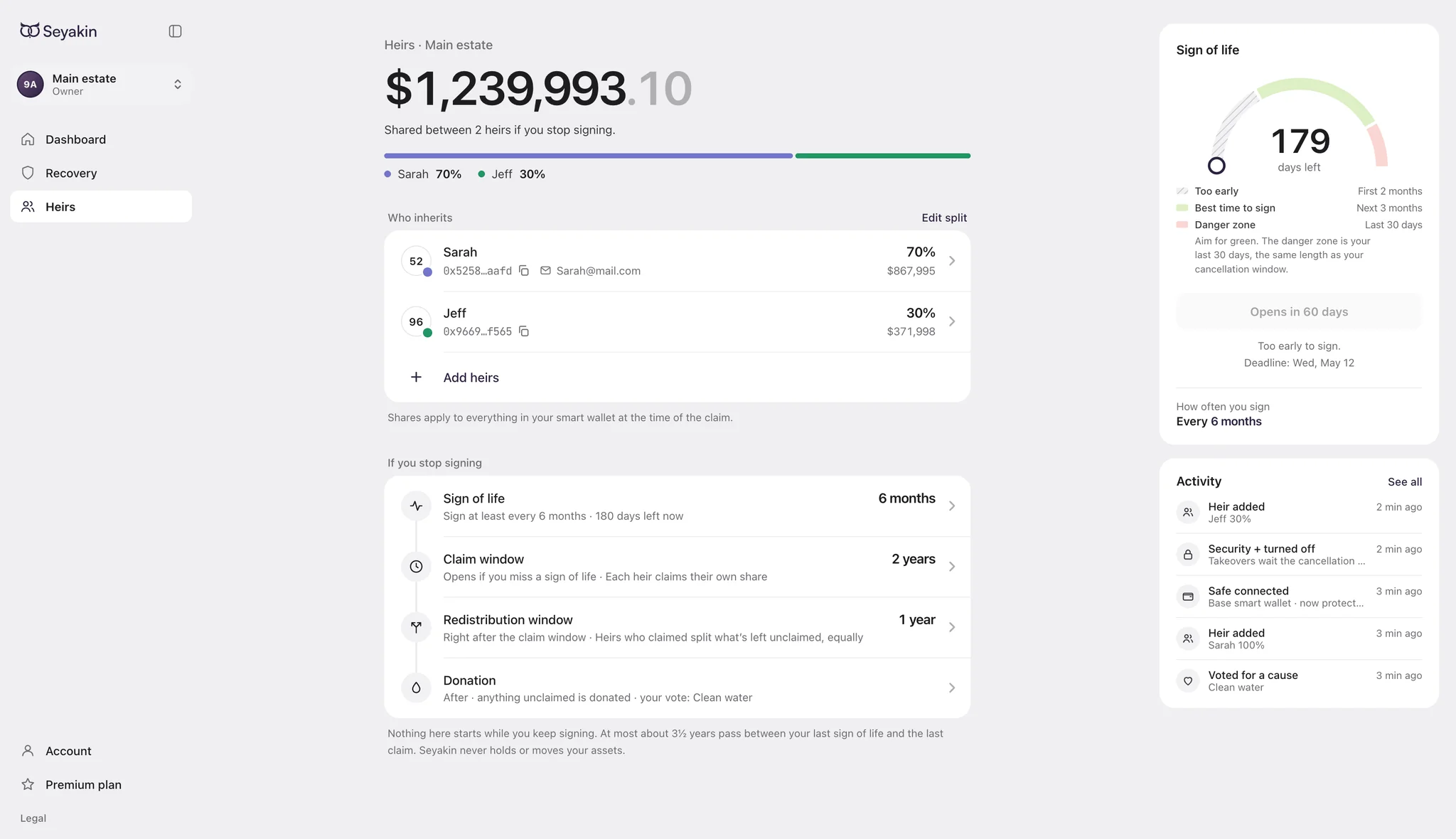
Choose your beneficiaries and their shares. A regular signed check-in, or sign of life, keeps your plan active. If you stop checking in, beneficiaries can claim according to the rules you set.

  • Set beneficiary shares
  • Choose the check-in and claim periods
  • Get email reminders before each check-in
  • Review what happens to unclaimed assets

A missed check-in is a technical trigger. SEYAKIN does not determine legal inheritance rights or replace a will.

Heirs settings showing beneficiary shares and the claim and redistribution windows
Crypto inheritance preview
How it works

Start with
your wallet.

Your personal wallet signs. Your smart wallet holds the assets covered by your plan. The initial integration uses Safe.

Connect with your wallet

  • MetaMask
  • WalletConnect
  • Coinbase Wallet
  • Ledger
What is a smart wallet?

A wallet managed by smart contracts, with permissions that can follow rules you approve.

Read about Safe
  1. Connect your wallet

    Connect with MetaMask, Coinbase Wallet or Ledger, or use WalletConnect to connect another compatible wallet.

  2. Create or connect your smart wallet

    Use a Safe smart wallet you already own or create one during setup. Move the eligible assets you want covered into it.

  3. Set your recovery and inheritance rules

    Choose recovery accounts, beneficiaries and timing. Sign the transactions to authorize your setup.

  4. Keep your plan up to date

    Review your settings and complete the regular check-ins that keep your inheritance plan active.

Connecting your personal wallet does not cover its balances. The plan applies to supported assets held in your configured smart wallet.

Your assets, your control

Your assets.
Your smart wallet.

Use SEYAKIN to set up and manage your own on-chain rules. The contracts carry out the rules you approve. Your assets stay in your smart wallet.

SEYAKIN never holds your funds

Your keys stay yours. Your assets stay in your smart wallet. Your private keys and seed phrase stay with you.

Your rules run on-chain

You sign the setup and changes. SEYAKIN cannot freeze your funds, block your access or disable the rules you have configured.

Use the wallet interface you prefer

Manage your wallet in SEYAKIN, in Safe or through another compatible interface. You keep independent access to your smart wallet and can manage its contracts or revoke SEYAKIN directly on-chain, with the required signatures.

Not yet available for production use. Independent security review is planned before launch.

FAQ

What to know.

Another question?
Ask the team.

Wallets & recovery

Can I use my existing wallet?
Yes. Connect your regular wallet, then create a Safe smart wallet during setup or connect one you already own. You use your regular wallet to sign. The smart wallet holds the assets covered by your recovery and inheritance plan. Support for other smart-wallet systems is a longer-term goal.
Can I add multiple recovery accounts?
Yes. A recovery account is a backup wallet you designate in advance, and you can add multiple accounts. If you lose your signing wallet, a designated account can request owner access to your smart wallet. The request waits through your chosen cancellation period. Existing owners can stop it before that period ends. Recovery creates another access path without reconstructing your lost private key. A designated recovery account cannot move your funds before recovery completes. After becoming an owner, it can manage the smart wallet under its ownership permissions.
What is the recovery passkey for?
Recovery uses a wallet signature, with an optional passkey verification when the recovery account becomes a smart-wallet owner. It does not replace the wallet signatures used to set up or change your plan, and it is not required for every transaction.

Inheritance

What happens if I stop checking in?
Regular email reminders help you remember your signed check-in. Your inheritance timing rules determine when beneficiaries can claim. A missed check-in is an on-chain trigger, not proof of death. Review the claim periods and fallback rules before signing: they also determine what happens to unclaimed assets. The prototype includes donation after the final claim period; the available rules will be confirmed before launch.
Does SEYAKIN replace a will?
No. SEYAKIN carries out on-chain rules for access and claims. It does not determine legal inheritance rights or replace a will. Your beneficiary settings should reflect the estate arrangements that apply to you.

Funds & availability

Which assets and networks does the plan cover?
The plan covers supported assets held in your configured Safe smart wallet. It does not cover balances left in your personal wallet, other unconfigured wallets or exchange accounts. SEYAKIN is designed for EVM networks, including Ethereum and Polygon. Network and asset availability will be confirmed for launch.
Does SEYAKIN hold or control my funds?
SEYAKIN does not hold your funds, private keys or seed phrase. Your assets stay in your smart wallet. SEYAKIN cannot freeze your funds, block your access or disable your configured rules. During setup, you sign transactions that grant the contracts permission to carry out the rules you choose. Review those permissions before signing; they determine what the contracts can do.
Can I manage my wallet outside SEYAKIN?
Yes. SEYAKIN brings sending, receiving, wallet management, recovery and inheritance into one simple control center. You can also manage the same smart wallet through Safe or another compatible interface, using the required wallet signatures. Contract settings can be managed through on-chain transactions, and you can revoke SEYAKIN without this website. Revoking the integration ends its recovery and inheritance functions for that wallet.
When can I use it, and what will it cost?
SEYAKIN is in development and is not available for production use. Independent security review and any resulting fixes are planned before launch. Joining the waitlist is free. A free tier is planned: connect and manage your wallet, and add one recovery account. Paid-plan pricing and network transaction costs will be explained before early access. We have not announced a launch date.
Early access coming soon

A little planning.
A lot of peace of mind.

Be among the first to set up your recovery and inheritance plans with SEYAKIN.

A free tier is planned: connect and manage your wallet, and add one recovery account.

No wallet connection. No seed phrase. Just your email.